  1. Blog
  2. Article

Canonical
on 3 August 2017

Upgrading your Ubuntu-on-Windows install to the app version


Our team and Microsoft recently released Ubuntu as a Windows app store application! If you toyed with the “bash on Ubuntu on Windows” version before and would like to try the latest and greatest, read on!
Saving your data

If your “bash on ubuntu on windows” environment has some data you’d like to keep, make sure you back it up now. The uninstall process will nuke everything.

Uninstall the old way

This is relatively simple. Opening a command line (cmd.exe) terminal and typing

lxrun /uninstall

will destroy your previous environment.

Installing the new way

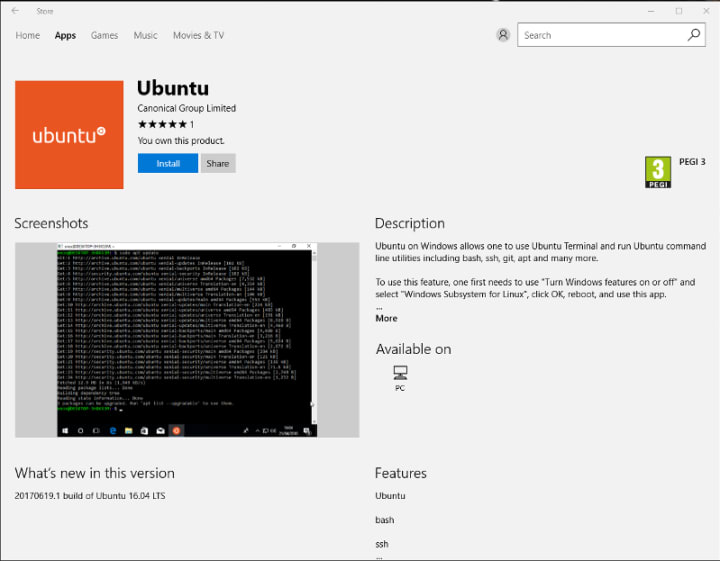
To find the app in the Microsoft store, just type “Ubuntu” in the search bar. Click install. Voilà!

Related posts


Canonical
1 June 2026

Securing AI agent workflows on Ubuntu with the new NVIDIA OpenShell snap

AI Article

By packaging OpenShell as a snap, Canonical is enabling enterprises to confidently run next-generation agentic workflows across local devices, hybrid environments, and private clouds. ...


Hugo Huang
28 May 2026

Canonical announces optimized Ubuntu images for TPU virtual machines by Google Cloud

AI Article

Canonical and Google Cloud announced the availability of certified Ubuntu images for Google’s Cloud TPU Virtual Machines. ...


David Beamonte
28 May 2026

VMware hypervisor deployment using MAAS

MAAS Article

Most modern datacenters are inherently heterogeneous. VMware environments coexist with container platforms, databases, and other bare-metal workloads, often on the same hardware over several years. Servers are bought once, but their role changes as requirements evolve. However, ESXi (the VMware hypervisor) provisioning is often handled se ...